
Vandaag of morgen in huis

Kwaliteit gegarandeerd

Welkomstaanbiedingen ontgrendelen: GRATIS bezorging | Tot 80% korting | Gratis 30 dagen JoyPlus-proefperiode
Download de app
Want your computer to respond faster when gaming, multitasking or running demanding programmes? 16 GB DDR4 RAM can be a practical upgrade. However, not every memory module is suitable for every PC. Choosing the wrong one could leave your system unable to start, running slower than expected or incompatible with your motherboard.
So don’t look at capacity alone. The difference between DIMM and SO-DIMM, memory speed and motherboard support are all key to getting the right result from your purchase.
DDR4 RAM is often described as 3200 MHz, while product specifications usually state 3200 MT/s. The actual speed depends on your processor, motherboard and BIOS settings.
Some modules start at a lower JEDEC speed by default. You may need a profile such as Intel XMP or AMD DOCP to enable the advertised speed. First, check whether your motherboard supports it.
A desktop PC usually needs a 288-pin DIMM memory module. Laptops typically use SO-DIMM, a shorter format with a different connection. So a product title that simply says “16 GB DDR4” doesn’t give you enough information.
Also look out for conflicting product details. If a module is advertised as DDR4 but listed as SODIMM, check it carefully before placing your order.
ECC memory can detect and sometimes correct data errors. Registered or buffered memory also uses a register between the memory module and the memory controller. These features are mainly relevant to certain servers and workstation motherboards.
A standard gaming PC usually uses non-ECC, unbuffered DDR4 DIMM memory. So don’t install a server module in a regular desktop without checking your motherboard’s compatibility list.
A single 16 GB RAM module leaves room for a second module. That’s handy if you want to upgrade further later. A 2 x 8 GB kit can run in dual-channel mode straight away, depending on your motherboard and whether the modules are installed in the correct memory slots.
For demanding games, video editing and running lots of programmes at once, a 2 x 16 GB kit may be a better option. It gives you 32 GB in total, but goes beyond a strict 16 GB budget or target.
DDR4 RAM at 3200 MHz or 3200 MT/s is a common choice for compatible desktop platforms. CAS latency, such as CL16 or CL22, tells you how many clock cycles memory needs before data is available.
At the same speed, CL16 generally has lower latency than CL22. That’s a technical advantage, but the difference in everyday use also depends on your processor, software and graphics card. So consider speed, capacity and compatibility together, rather than focusing on a single figure.
Check the following before you buy:
Also check whether you need to replace your current memory. Different modules can sometimes work together, but variations in speed, timings and voltage may cause all modules to run at a lower setting.
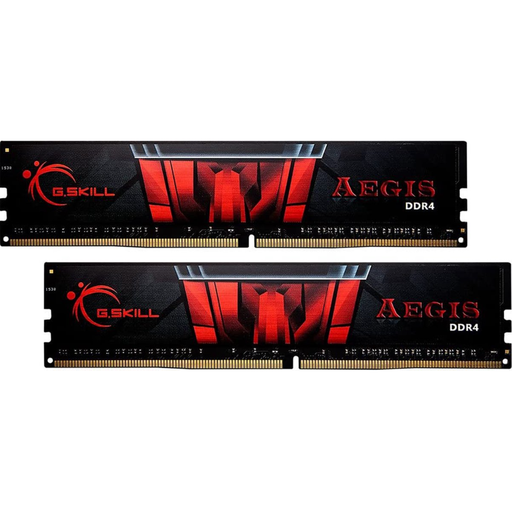
Why it suits this user: A straightforward 1 x 16 GB module for anyone looking to upgrade a desktop without buying a complete memory kit straight away.
The specifications list 1 x 16 GB, 288-pin DIMM, 3200 MT/s and CL16. Do check that your motherboard supports DDR4 DIMM.
16 GB capacity, 3200 MT/s, CL16 and no LED lighting, according to the product details.
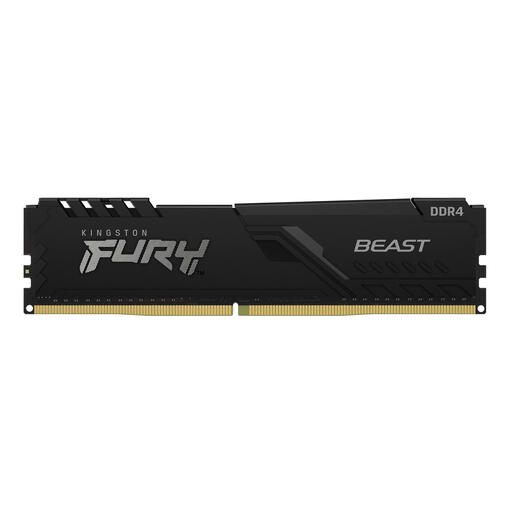
Why it suits this user: A good fit for anyone looking for a desktop RAM upgrade with a stated speed of 3200 MT/s and support for an XMP profile.
The product specifications explicitly list 288-pin DIMM, non-ECC, CL16 and 1 x 16 GB. This makes it easier to distinguish from server RAM.
16 GB, 3200 MT/s, CL16, heatsink and Intel XMP 2.0, according to the listed product specifications.
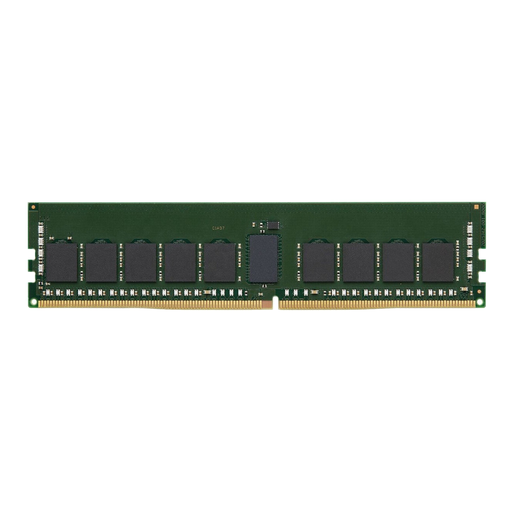
Why it suits this user: Designed for a compatible PC or server environment that explicitly supports ECC and registered memory.
This module isn’t presented as standard gaming RAM: the specifications list ECC, CL22 and Registered. So check your server or workstation manual carefully.
16 GB DDR4, 3200 MT/s, ECC support and registered buffering, according to the product details.
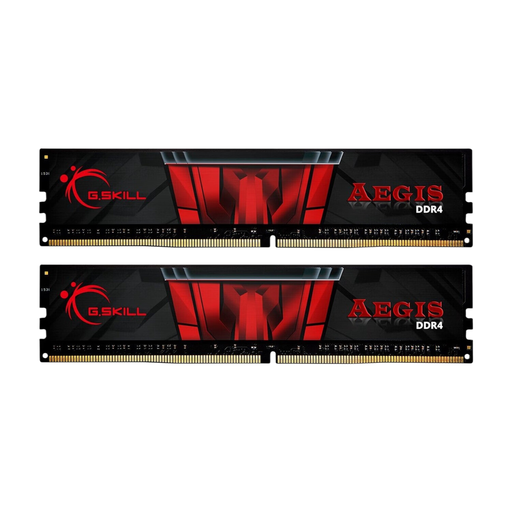
Why it suits this user: A practical choice if you want more RAM straight away for gaming, streaming and demanding multitasking.
This is a complete 2 x 16 GB kit, so there’s no need to combine separate modules with different timings.
32 GB in total, 3200 MT/s, CL16 and a dual-module configuration, according to the product specifications.
We’ve put together a complete, up-to-date list of products that meet these strict selection criteria and the applicable European safety regulations.
Don’t touch the gold contacts or force the module into place. A DIMM fitted incorrectly can cause startup problems or damage.
For many games, office programmes and everyday multitasking, 16 GB is a useful amount. Demanding video editing, virtual machines and modern games running alongside streaming can use more memory. Check the requirements for the specific software too.
Sometimes, but all the modules may run at the speed and timings of the slowest one. Check that the capacity, voltage and type match. Using a matched kit reduces this risk.
RAM doesn’t have a set replacement date. Its lifespan mainly depends on heat, electrical load and correct installation. You’ll usually only need to replace a module if it’s faulty, you need more capacity or you’re moving to a new platform that uses a different type of memory.
