
Vandaag of morgen in huis

Kwaliteit gegarandeerd

Welkomstaanbiedingen ontgrendelen: GRATIS bezorging | Tot 80% korting | Gratis 30 dagen JoyPlus-proefperiode
Download de app
A 15.6-inch laptop backpack needs to do more than simply carry a laptop. Students take books and lunch with them, professionals carry chargers and documents, and commuters want a bag that can withstand daily use and changeable weather. Yet many buyers only encounter problems after a few weeks: a laptop compartment that turns out to be too tight, a backpack that feels heavy or water-repellent material that cannot cope with prolonged rain.
These buying tips will help you compare a laptop backpack based on verifiable features. You can then see which models suit different situations.
Screen size is only one factor. A laptop’s exterior dimensions can vary by brand and model because of wide bezels, a thick keyboard section or a robust casing. As well as checking the stated screen size, check the dimensions of the laptop compartment. In practice, a compartment designed for a 15.6-inch device may be too tight for a large workstation laptop.
A water-repellent laptop backpack helps in light rain or against splashes, but it does not automatically provide protection during a prolonged shower. Product descriptions use terms such as “water resistant” or “water repellent”; read the wording carefully. A rain cover or an additional protective laptop cover is still a sensible choice if you cycle every day.
A spacious laptop backpack with several compartments may seem convenient, but a bag can become uncomfortable when the shoulder straps are thin or the contents sit too far away from your back. Look for adjustable straps, a chest strap and a practical layout. Keep heavy items close to your back and do not load the bag beyond the manufacturer’s stated capacity.
Choose a model with a separate, padded laptop compartment. This prevents the computer from coming into direct contact with books, keys or a drinks bottle. Also check the fastening: a zip, hook-and-loop fastening or elasticated strap keeps the device in place while cycling and travelling.
A business laptop backpack often has a streamlined layout with room for a laptop, tablet, documents and accessories. For school or college, a larger main compartment may be more practical, as it can also accommodate books and a lunch box.
Capacity is usually stated in litres. A backpack of around 20 to 25 litres is suitable for everyday work or school with a laptop and a few accessories. More space is needed for clothes, shoes or travel essentials. An expandable laptop backpack can be useful in that case, provided the bag does not become too large or heavy when expanded.
Pay attention to the relationship between capacity and the bag’s own weight. A lightweight laptop backpack weighing around 800 to 900 grams leaves more room for your everyday belongings than a heavy model with thick reinforcements.
Polyester, canvas and synthetic woven fabrics are widely used. In particular, check the product description for:
A laptop backpack with a USB port generally includes a cable pass-through to the outside. You will usually still need your own power bank; the USB connection is not a built-in battery. Also check that your laptop and charger will fit in the available compartment.

Why it suits this profile: The combination of a business-style design, low weight and a USB pass-through makes it suitable for daily commuting, school and the office.
The description explicitly states that it has a compartment for laptops up to 15.6 inches. Even so, check your device’s dimensions before buying.
USB pass-through, multiple compartments and a design for work, commuting and travel.

Why it suits this profile: This model is designed for travellers and commuters who want to carry their laptop, clothing and everyday essentials in an organised way.
The stated capacity is 25 litres and can be expanded to 30 litres. This means you only use the extra space when you need it.
25 to 30 litres of capacity, chest strap, lockable zips, an RFID-blocking compartment and a stated weight of around 860 grams.
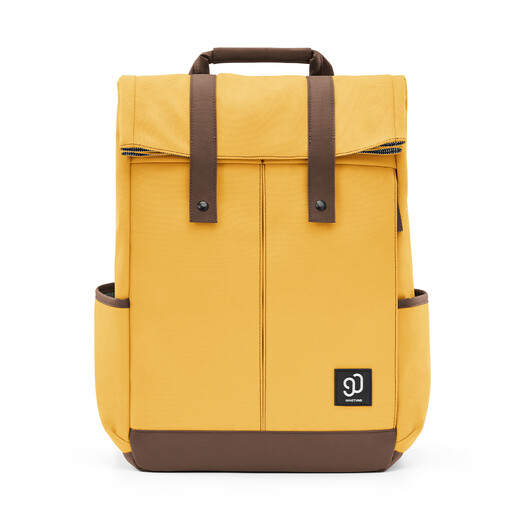
Why it suits this profile: The spacious school and work layout is designed for users who carry books, accessories and a drinks bottle alongside their laptop.
The product information mentions 900D tear-resistant fabric and level 4 water repellency, but also states that the bag is not completely waterproof. Use additional protection in heavy rain.
Three front compartments, direct laptop access and reinforced side pockets for a bottle or umbrella.
Use this quick checklist:
A product description is not a guarantee against theft or water damage. RFID blocking and lockable zips can reduce certain risks, but they cannot prevent every incident. Use the bag according to the instructions and avoid overloading it.
We have put together a complete, up-to-date list of products that fully meet these strict selection criteria and the applicable European safety regulations.
No. The screen size does not indicate the laptop’s full exterior dimensions. Compare the width, depth and thickness of your laptop with the dimensions of the padded compartment. If in doubt, choose a backpack with a little extra room, but make sure the device cannot move around inside it.
Its lifespan depends on the material, zips, load and frequency of use. Daily cycling, heavy contents and frequent opening put greater strain on seams and fastenings. A bag will generally last longer if you protect it from sharp objects, distribute the contents evenly and follow the care instructions.
It can be, particularly if you carry fewer items on working days and more during a short trip. However, bear the additional weight and dimensions in mind when the expansion is open. For air travel, you should also check the airline’s baggage rules.
