
Vandaag of morgen in huis

Kwaliteit gegarandeerd

Welkomstaanbiedingen ontgrendelen: GRATIS bezorging | Tot 80% korting | Gratis 30 dagen JoyPlus-proefperiode
Download de app
A 15.6-inch laptop backpack may seem straightforward to choose at first glance. However, models vary considerably in fit, protection, compartment layout and carrying comfort. A bag that appears large enough on paper may be too cramped for the laptop charger in practice. A backpack labelled “water-resistant” may also offer less protection than you expect during a heavy downpour.
Focus particularly on the features you use every day. Below, you’ll find the main pitfalls, technical considerations and popular choices for students, commuters, business users and travellers.
A 15.6-inch laptop will not automatically fit every compartment with the same size designation. Actual external dimensions vary by brand and model. Always check the dimensions of the laptop compartment and compare them with your laptop’s measurements. Also allow room for a protective sleeve, especially when the compartment is not generously padded.
A 17.3-inch laptop backpack offers more flexibility, but is usually larger and heavier. This can be inconvenient if you mainly travel by train, bicycle or on foot.
When buying a waterproof laptop backpack, many shoppers expect protection from prolonged rain. However, product descriptions use various terms, such as water-repellent, water-resistant and water repellent. These terms do not automatically mean that the seams, zips and laptop compartment are completely waterproof.
A water-repellent outer fabric can help protect against splashes and light rain. During a heavy shower, a rain cover or additional protective sleeve is still a sensible choice. Look for specific information about the material, closure and seams rather than relying solely on a marketing label.
A laptop backpack with lots of compartments sounds practical, but small or poorly positioned pockets can actually take up valuable space. Check whether there is room for:
A USB port is only useful if the backpack also has room for your own power bank. The USB connection does not charge devices by itself. Also check which type of cable you need.
A padded laptop compartment helps keep your laptop separate from your other belongings. Don’t just look for padding; also consider how the compartment closes. A zip or sturdy elasticated edge helps prevent the laptop from shifting when you put the bag down.
A stable base is also useful in a laptop backpack for work. It protects the contents when you place the bag on the floor. Use the laptop compartment only for the dimensions the product is designed to accommodate; an oversized laptop may press against the zip or edges.
Nylon and polyester are commonly used for business laptop backpacks. The thickness and finish partly determine how the fabric feels and how well it stands up to everyday use. For example, the Kensington SP25 Classic uses 1680 denier nylon and, according to the product information, features padded compartments.
With a water-resistant laptop backpack, the zips and openings are also important. A roll-top closure can seal the top compactly, while a traditional zip provides quicker access. Choose the closure based on your routine: quick packing or extra protection during your commute.
A lightweight backpack is comfortable for daily travel, but additional padding, sturdy zips and multiple compartments can increase the weight. Check the empty weight and dimensions before buying. Wide, adjustable shoulder straps distribute the load better than narrow straps.
A trolley strap is useful for air and train travel. A carry handle provides a second way to carry the bag when you need to move it over a short distance. These features are particularly relevant for a laptop backpack for travel or a business laptop backpack.
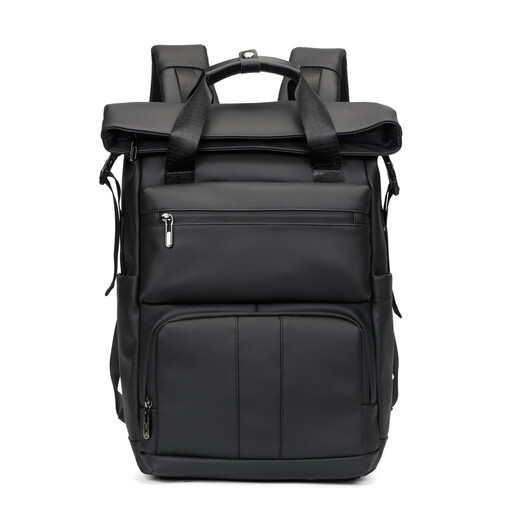
Why it suits this profile: A simple choice for school, daily commuting and short trips when you need to carry a laptop of up to 15.6 inches and a few accessories.
The product title mentions a water-repellent design and a 15.6-inch laptop size. Before buying, check the exact internal dimensions and use additional protection during prolonged rain.
Roll-top design for everyday use; suitable for laptops up to 15.6 inches according to the product title.
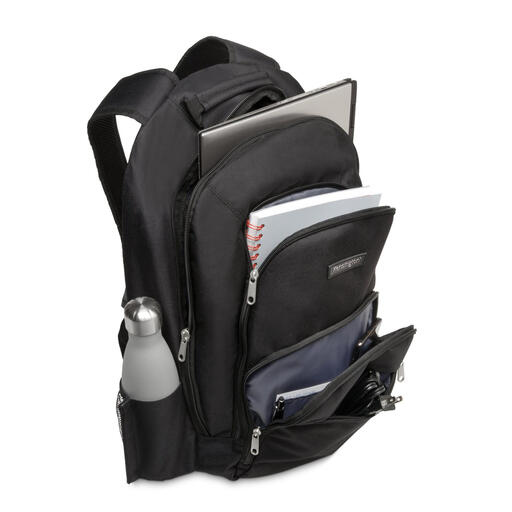
Why it suits this profile: A business laptop backpack for professionals who value a classic look, protective compartments and well-organised storage.
The product information lists thick internal compartments, zipped pockets and multiple accessory pockets. This means you don’t have to place your laptop and cables loose among your other belongings.
1680 denier nylon; dimensions of 330 × 180 × 480 mm; stated weight of 710 grams.
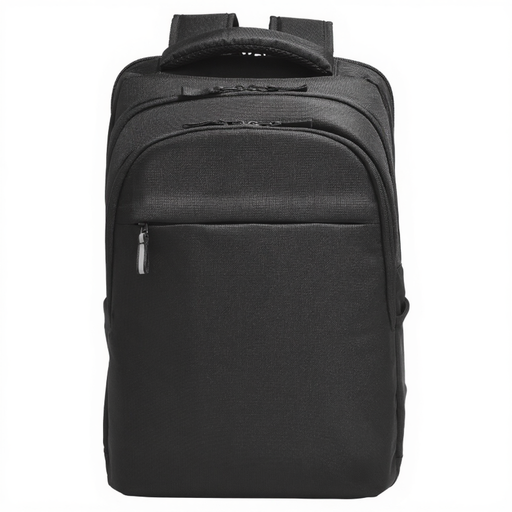
Why it suits this profile: Suitable for users who carry a larger laptop, documents and peripherals to the office, home workspace or travel destination.
The stated specifications mention water resistance and a laptop compartment for devices up to 17.3 inches. The many zipped and slip pockets help keep accessories stored separately.
RFID pocket, Bluetooth tracker pocket, cable pass-through and trolley strap; main material described in the product information as 100% recycled plastic.

Why it suits this profile: A practical laptop backpack for people who commute to work every day and want to connect their phone or other devices to their own power bank while travelling.
The product title mentions both a 15.6-inch laptop size and water-repellent material. Before buying, check the actual compartment dimensions and connect the USB cable to a separate power bank.
USB charging port according to the product title; slim business design described as water-repellent.
We’ve put together a complete, up-to-date list of products that fully meet these strict selection criteria and the applicable European safety regulations.
No. Screen size is only one factor. The laptop casing can vary from one model to another. Measure the length, width and thickness of your laptop, then compare these measurements with the dimensions of the laptop compartment. Leave extra room if you use a protective sleeve.
Its lifespan depends on the load, material, zips and daily use. A bag that is constantly filled to capacity will wear out faster than a backpack used within its stated capacity. Regularly check the seams, shoulder straps and zips. The statutory guarantee in the European Union for the products mentioned is at least two years; additional rights may apply under the relevant national law.
A USB port is mainly a pass-through connection between a power bank inside the bag and a cable outside it. It is not a built-in battery and is generally not a standalone charger. Use a suitable power bank, check the cable connection and remove the power bank when you are not using it or when the bag is being stored.
