
Vandaag of morgen in huis

Kwaliteit gegarandeerd

Welkomstaanbiedingen ontgrendelen: GRATIS bezorging | Tot 80% korting | Gratis 30 dagen JoyPlus-proefperiode
Download de app
Gaming on a laptop or console is flexible, but you often compromise on image quality and responsiveness. A 144Hz portable gaming monitor promises the smooth, competitive experience of a desktop, wherever you go. However, the market is flooded with models that overpromise and underdeliver. Before you invest in an external gaming display, it's crucial to understand the common pitfalls that can ruin your gaming enjoyment.
As a Product Recommendation Officer at Joybuy, I see a lot of products come and go. My job is to help you see through the marketing hype and make a choice based on actual specifications. Here are the most important points to watch out for.
Many buyers focus purely on price or size, but the devil is in the details. These are the three most common mistakes:
To avoid these pitfalls, focus on the following three technical specifications. These determine whether a monitor is worth its price.
For a portable gaming monitor, 144Hz is the most important specification. This number indicates how many times the image is refreshed per second. A higher number results in a noticeably smoother and more responsive picture, which is crucial in competitive games. Combine this with a low response time (ideally under 5ms) to prevent 'ghosting' (blurry trails behind moving objects). Most portable screens offer a 1080p portable screen resolution (Full HD), which is a good balance between sharpness and performance.
The most important connection to look for is a USB-C monitor port with 'DisplayPort Alt Mode'. This technology allows video, data, and power to be transmitted through a single cable. Connect the monitor to a compatible laptop, and you're ready to go instantly. No extra power adapter needed. Note: not every USB-C port supports this. Check if it's a 'full-function' port. An additional (mini-)HDMI port is useful for compatibility with devices like a portable monitor for PS5, Xbox, or older laptops.
A 16-inch portable monitor is a popular size because it's a noticeable upgrade from a standard laptop screen without being too bulky for a backpack. Always opt for an IPS panel. These panels offer superior viewing angles and color reproduction compared to older TN panels. Finally, pay attention to the brightness, expressed in nits (cd/m?). A value of 300 nits or higher is recommended for use in various lighting conditions. A color gamut of around 100% sRGB ensures vibrant and accurate colors.
Based on these criteria, we have selected a few models that suit different types of gamers.
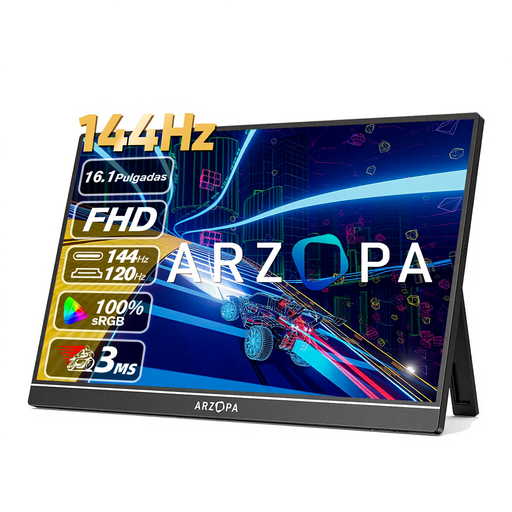
Why This Fits Their Persona: This monitor is all about pure performance. The combination of a 144Hz refresh rate and a 1080p resolution is ideal for gamers who want maximum framerates and responsiveness without overburdening their laptop or console. It's a practical and purpose-built lightweight gaming screen.
It delivers a true 144Hz experience, not just an empty marketing claim. With two full-function USB-C ports and a mini-HDMI port, it offers maximum flexibility and prevents a tangle of cables.
Excellent balance between performance (144Hz), size (16.1 inches), and portability (780g). The 106% sRGB color gamut and 300 nits of brightness ensure a vibrant picture.
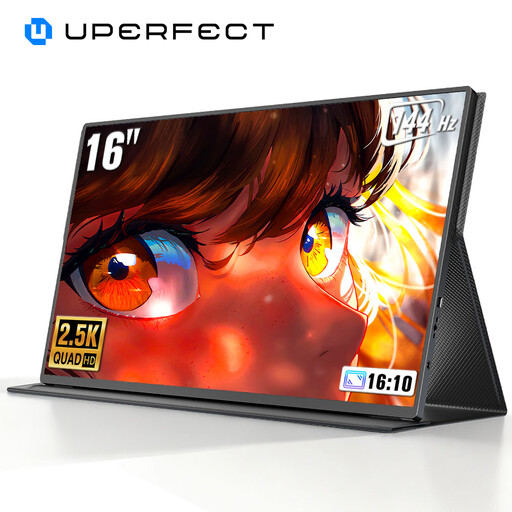
Why This Fits Their Persona: For those who want more than just speed. The 2K QHD (2560x1600) resolution offers a significantly sharper and more detailed image, perfect for visually rich games or for using the screen for photo editing or graphic design.
This screen combines a high resolution with a high refresh rate, a rarity in the portable market. The high brightness of 450 nits and the QLED panel effectively tackle the problem of a dim screen.
The 2K resolution on a 16-inch screen provides impressive pixel density and sharpness. The 144Hz support ensures that smooth gameplay is maintained, even at a higher resolution.
These screens are an excellent addition to a powerful gaming setup. Check out our full range of portable solutions that meet our strict selection criteria.
Often, you don't. Many models, like those with a full-function USB-C monitor port, can receive power and video from your laptop via a single cable. However, you should verify that your laptop's USB-C port supports DisplayPort Alt Mode and sufficient Power Delivery (PD). For consoles like the PS5 or when using HDMI, a separate power adapter is usually required.
Yes, a portable monitor for PS5 or Xbox will work via the HDMI connection. Keep in mind that consoles may not always support 144Hz output; for example, the PS5 supports up to 120Hz. The monitor will adjust its refresh rate accordingly. In this scenario, you will need an external power source for the monitor, which is typically included.
A 144Hz screen consumes more power than a 60Hz model, which can drain your laptop's battery faster when powered via USB-C. Many screens offer the option to lower the refresh rate to 60Hz in the settings to save power when you're not gaming, for example, while working.
