
Vandaag of morgen in huis

Kwaliteit gegarandeerd

Welkomstaanbiedingen ontgrendelen: GRATIS bezorging | Tot 80% korting | Gratis 30 dagen JoyPlus-proefperiode
Download de app
By: Joybuy Product Recommendation OfficerLast updated: July 28, 2026
Do you regularly work on the train, in a coffee shop, or at a coworking space? Then you'll recognise that uncomfortable feeling of someone looking over your shoulder. Whether you're working on a sensitive company report, processing customer data, or reading personal emails, your screen is often visible to everyone. This is not only annoying but can also pose a risk for data breaches and may violate GDPR guidelines.
A privacy screen 14 inch is a simple and effective solution. This screen filter ensures that only you can see your screen when viewing it from straight on. For prying eyes from the side, the screen becomes dark and unreadable.
In this guide, we'll help you make the right choice. We will discuss the most important factors to consider and highlight several popular options for 14-inch laptops.
Not every privacy filter laptop 14 inch is the same. The fit and functionality can vary significantly. Pay attention to the following three points to avoid making the wrong purchase.
The term "14 inch" refers to the diagonal measurement of the screen, but it says nothing about its shape. Modern laptops often have a 16:10 aspect ratio (slightly taller), while many older and standard models have a 16:9 ratio (wider). A laptop privacy filter 16:9 will not fit properly on a 16:10 screen, and vice versa. Therefore, always check your laptop's specifications before ordering a filter. This prevents gaps on the sides or a filter that doesn't cover the entire display.
How you attach the filter determines its ease of use. There are generally two systems:
magnetic privacy screen simply clicks onto the bezels of your laptop screen. This is ideal if you want to remove the filter frequently, for example, when giving a presentation or showing a video to a colleague.A good anti-snooping screen filter does more than just protect your privacy. Many filters have extra features that enhance work comfort:
anti-glare filter laptop feature is very convenient if you often work in different locations.blue light filter 14 inch can block a portion of this light, contributing to greater viewing comfort during long workdays.Based on product specifications and functionalities, we have listed a few options for you.
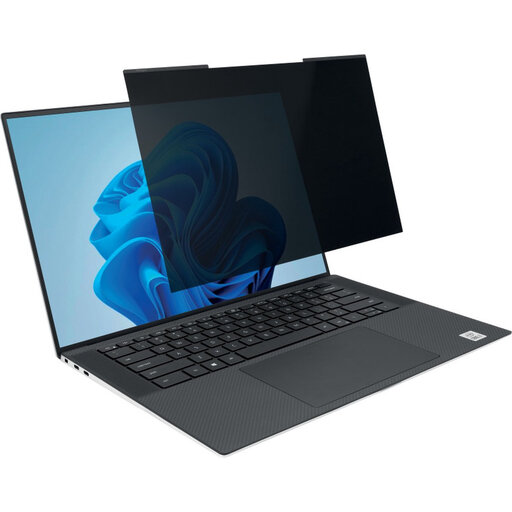
Why It Stands Out This Kensington privacy screen is designed for ease of use. The magnetic attachment makes installation and removal a matter of seconds. It is specially made for modern, ultra-thin laptops with a narrow screen bezel and a 16:10 aspect ratio.
Benefits
Who Is This For? For the hybrid worker or student with a modern 14-inch (16:10) laptop who seeks maximum flexibility and convenience. Ideal for those who want to quickly switch between privacy and an open screen.
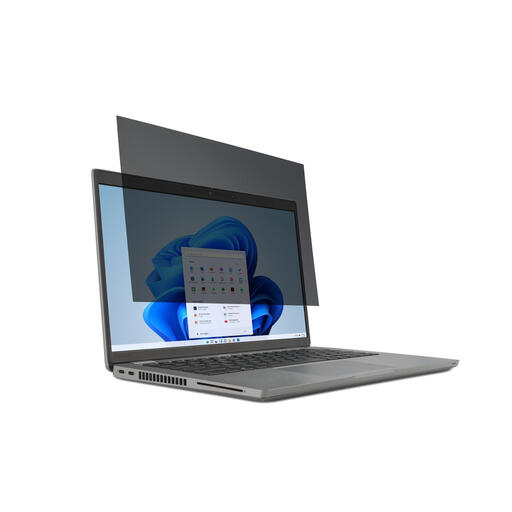
Why It Stands Out This filter is a reliable choice for the common 14-inch laptops with a 16:9 aspect ratio. It uses attachment tabs, which ensure stable and secure positioning on the screen.
Benefits
anti-glare coating and a blue light filter.Who Is This For? For professionals and students with a standard 14-inch (16:9) laptop who are looking for an anti-snooping screen filter that stays securely in place all day.
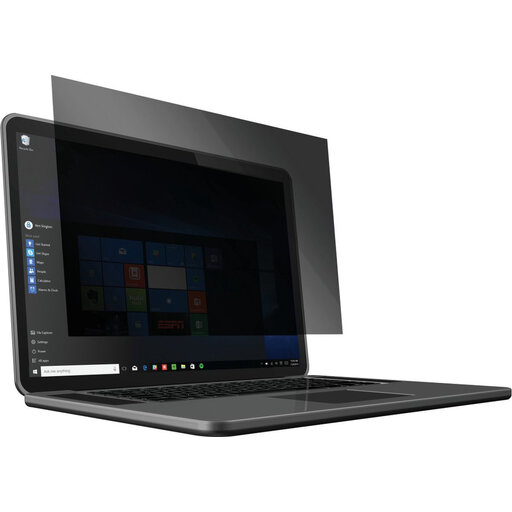
Why It Stands Out This privacy filter laptop 14 inch for 16:10 screens places a strong emphasis on eye comfort. According to the manufacturer, Kensington, it reduces up to 42% of harmful blue light, which can make a noticeable difference during long work sessions.
Benefits
Who Is This For? For the user with a 14-inch (16:10) laptop who, in addition to privacy, also seeks maximum protection against eye strain. A great option for those who spend many hours in front of their screen daily.
Every laptop and every user is unique. The fit, aspect ratio, and personal preferences all play a role in finding the right match. If the options above aren't exactly what you need, there may be another solution that fits better.
Explore our full range of Privacy Computer Screen Protectors and find the perfect match for your device.
A privacy filter uses a technology called 'micro-louver'. You can think of it as a kind of miniature vertical blinds. These louvers only allow light to pass through from straight on. If you look from an angle, the louvers block the view and the screen appears dark.
Yes, privacy screens with magnetic attachments, like the Kensington MagPro, are specifically designed for use with laptops. The magnets are positioned so that they do not interfere with the laptop's electronics. However, the manufacturer does recommend keeping the filter away from cards with a magnetic strip, such as credit cards, to prevent data loss.
