
Vandaag of morgen in huis

Kwaliteit gegarandeerd

Welkomstaanbiedingen ontgrendelen: GRATIS bezorging | Tot 80% korting | Gratis 30 dagen JoyPlus-proefperiode
Download de app
A 14-inch laptop sleeve might seem like a simple purchase, until your laptop doesn’t fit properly, the zip rubs against its casing or there’s no room for the charger. Students, home workers, business users and commuters often look for a combination of low weight, protection and a smart appearance. However, there are a few common pitfalls to watch out for.
The 14-inch label usually refers to the diagonal screen measurement. The external dimensions of laptops vary by make and model, so a 14-inch MacBook, Dell, Asus or Xiaomi may be a slightly different size.
Before buying, check:
A sleeve that’s too roomy offers less stability in transit. One that’s too tight can put pressure on the edges or screen.
Product pages sometimes use terms such as water-resistant, splashproof or water-repellent. That doesn’t automatically mean a sleeve will withstand prolonged rain, a knocked-over drink or immersion in water. Check the exact product description and consider using an additional bag in bad weather.
A water-repellent laptop sleeve is mainly useful for light showers and damp conditions during a short journey. The zip, seams and flap may still be vulnerable points.
A slim laptop sleeve is easy to carry, but usually has less room for thick padding and accessories. According to product descriptions, a sleeve often protects against scratches and minor knocks, but it’s no substitute for a hard case when your laptop is likely to take a heavy beating.
Look for a combination of:
A model described as a laptop sleeve for Apple and Dell isn’t automatically suitable for every Apple or Dell model. Always check the internal dimensions. The VoxorAI models in this selection have stated dimensions of 35 × 25,3 × 0,5 cm. This makes them particularly suitable for users with relatively slim laptops, but the dimensions of your own device are what matter most.
The HP Renew Business is listed as suitable for screens up to 14,1 inches. This gives you a little more leeway than a sleeve designed to fit exactly 14 inches, but you should still check your laptop’s casing dimensions.
PU faux leather has a smooth, businesslike appearance and is easy to wipe clean. Polyester is generally lightweight and suitable for everyday use. A soft lining helps minimise contact between your laptop and the inside of the sleeve.
It’s worth distinguishing between a marketing term and a verifiable specification. “Shockproof” doesn’t tell you much without information about the lining, padding or construction. So check the material, thickness and how the laptop is held in place.
A magnetic flap gives you quick access and keeps the sleeve slim. A zip closes the entire opening, but should run smoothly and not rub directly against your laptop. For commuting, a handle or shoulder strap may be more convenient than a sleeve on its own.
If you carry a mouse, cables and a charger as well as your laptop, a laptop sleeve with a mouse and accessory pouch can be useful. It stops loose accessories from pressing against your laptop inside a rucksack.
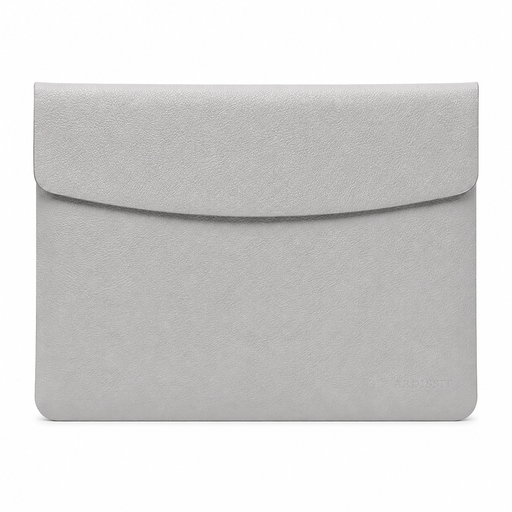
Why it suits this profile: This grey sleeve has a stated weight of 300 grams and a thickness of 0,5 cm. It’s designed for anyone looking for a simple, lightweight option for lectures, the office or working from home.
The stated dimensions of 35 × 25,3 × 0,5 cm make it easy to check whether it’ll fit before you buy. The magnetic flap means there’s no zip running along your laptop.
PU faux leather, a grey finish, a weight of 300 grams and a slim design. The product description says the material is water-repellent and resistant to wear and scratches.
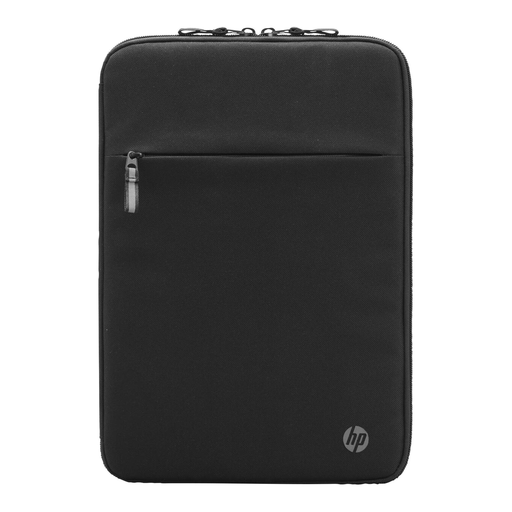
Why it suits this profile: Business users get a slim sleeve with a soft lining and a front organiser pocket. It’s well suited to moving between the office, home and meeting rooms every day.
The product details specify a maximum screen size of 14,1 inches and a soft, padded interior. The front pocket has room for smaller work essentials.
Stated dimensions of 36 × 25 × 2,2 cm, a weight of 320 grams and an organiser pocket. The manufacturer states that recycled materials are used in its construction.
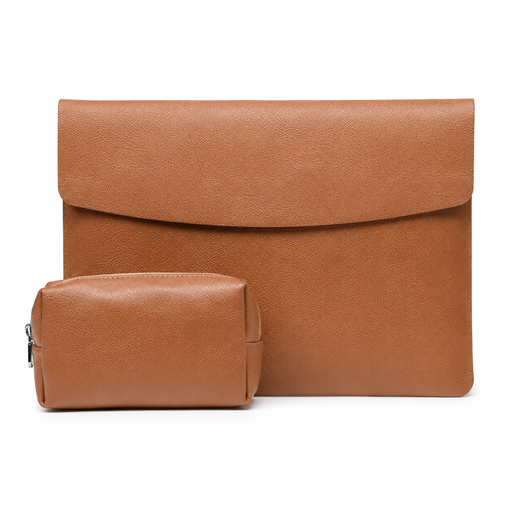
Why it suits this profile: This model is designed for anyone who carries a mouse and charger as well as their laptop, such as on the commute or when working across several locations in one day.
The accessory pouch keeps loose items separate in the same rucksack. Still, check that the stated dimensions of 35 × 25,3 × 0,5 cm match your laptop.
PU faux leather, imitation suede lining, a magnetic flap and a stated weight of 360 grams. The product description says the sleeve is suitable for Apple, Asus, Dell and Xiaomi laptops.
We’ve put together a complete, up-to-date list of products that meet these strict selection criteria and comply with the applicable European safety regulations.
No. Screen size is only one indication. Check your laptop’s external dimensions and compare them with the sleeve’s internal dimensions. Also allow for any extra thickness from a hard laptop cover.
A slim model can be practical for protecting against scratches and minor knocks. For carrying your laptop in a full rucksack or case, extra padding or a dedicated laptop compartment is a better choice. Don’t place heavy items on top of your laptop.
Its lifespan depends on the material, closure and how you use it. Check the seams, flap, zip and lining regularly. A sleeve that’s misshapen or no longer fits well may offer less protection, even if the material still looks smart.
