
Vandaag of morgen in huis

Kwaliteit gegarandeerd

Welkomstaanbiedingen ontgrendelen: GRATIS bezorging | Tot 80% korting | Gratis 30 dagen JoyPlus-proefperiode
Download de app
A 14-inch laptop sleeve may seem like a simple product, but the wrong size or an impractical fastening can cause problems every day. A sleeve that’s too loose offers less protection against knocks. And a model sized by screen measurement alone may not fit a laptop with a wide casing or extra-thick base.
For students, professionals, people working from home and travellers, three pitfalls are especially important: marketing claims without clear specifications, unclear dimensions and not enough room for accessories. Use the checks below to compare 14-inch laptop sleeves based on practical features, not just looks.
Screen size is only one part of the fit. Two laptops with a 14-inch screen can differ in length, width and thickness. Always check the internal dimensions of the sleeve and compare them with your laptop’s measurements.
Also look out for a protruding foot, a wide bezel around the screen or a battery underneath. With a very snug sleeve, even a small difference can stop the zip or flap from closing properly.
A water-resistant laptop sleeve can help keep out splashes or light rain, but that doesn’t necessarily mean your belongings will stay dry for a long time in a heavy downpour. Check the product description and treat “water-resistant”, “splashproof” and “waterproof” as different claims.
According to the product description, the VoxorAI sleeve is water-resistant. That doesn’t tell you how long, or in what conditions, it will keep moisture out. If you cycle or travel frequently, consider using a separate rain cover or a bag with extra protection.
A slim laptop sleeve is lightweight and takes up little space, but it often has less padding than a larger 14-inch laptop bag. Check the lining material, the protection around the zip and how sturdy the outer fabric is.
A sleeve is mainly designed to help prevent scratches, light knocks and contact with other items. No laptop sleeve can protect a laptop from heavy pressure, falls from a height or a full bag placed on top of it.
Measure your laptop at three points:
The sleeve should fit snugly around your laptop without you having to force it closed. If you have an Apple, ASUS, Dell, HP, Lenovo or Xiaomi laptop, “universal compatibility” is only a starting point. Check the actual dimensions of your specific model.
Many laptop sleeves are made from polyester, neoprene or PU leather. Polyester is usually lightweight and suitable for everyday use. PU leather offers a different look and, according to the product description, may be resistant to wear and scratches. These are material and product information claims, not a guarantee against every kind of damage.
A soft lining helps reduce contact scratches. Also look for a protective edge around the fastening. A zip can be practical, while a magnetic flap offers quicker access but may be less suitable if your laptop is loose in an overfilled bag.
A laptop sleeve without a handle or shoulder strap is best suited to carrying in a rucksack or larger work bag. If you regularly carry your laptop on its own, a sleeve with an accessory pouch, handle or detachable shoulder strap may be more useful.
Also check whether the accessories will actually fit in a separate compartment. A charger, mouse and cables can put pressure on your laptop if they’re stored in the same main compartment.
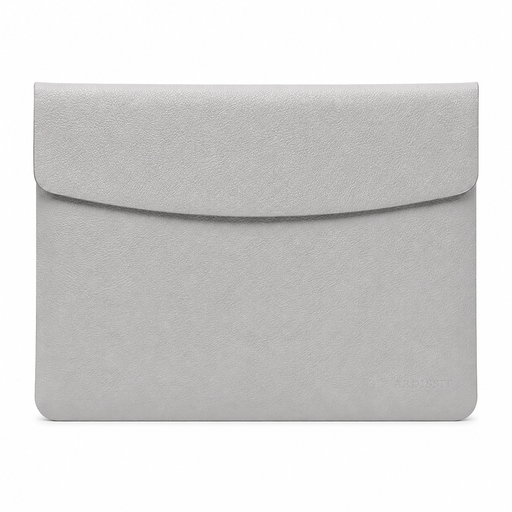
Why it suits this profile: This 14-inch laptop sleeve is designed for people looking for a lightweight, simple option for studying, commuting or carrying in a rucksack. The listed dimensions are 35 × 25,3 × 0,5 cm and the weight is 300 grams.
The size, weight and material are clearly listed. Check that your laptop fits the internal dimensions, though; the 14-inch label alone isn’t enough to determine this.
PU leather, magnetic flap, grey colour and a listed weight of 300 grams. According to the product description, the sleeve is water-resistant and scratch-resistant.
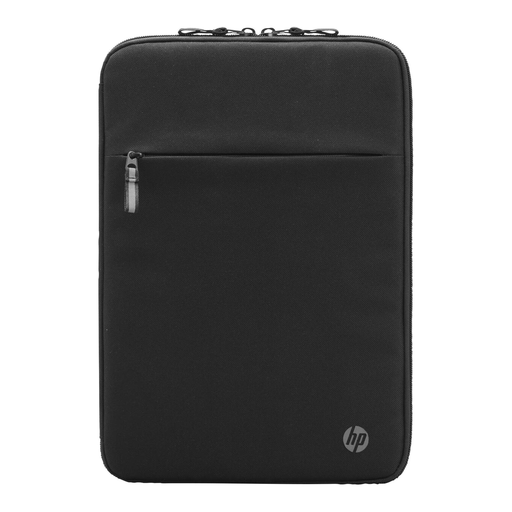
Why it suits this profile: This sleeve is a good fit for professionals who want pockets for cables and small accessories as well as protection. The listed dimensions are 36 × 25 × 2,2 cm and the weight is 320 grams.
The sleeve has a soft lining, padding and a front organiser pocket. The product information lists HP as the compatible brand, so check the dimensions if you’re using it with a different brand.
Polyester, padded construction, RFID pocket, cable pass-through and multiple compartments. According to the product description, some of the material is made from recycled materials.
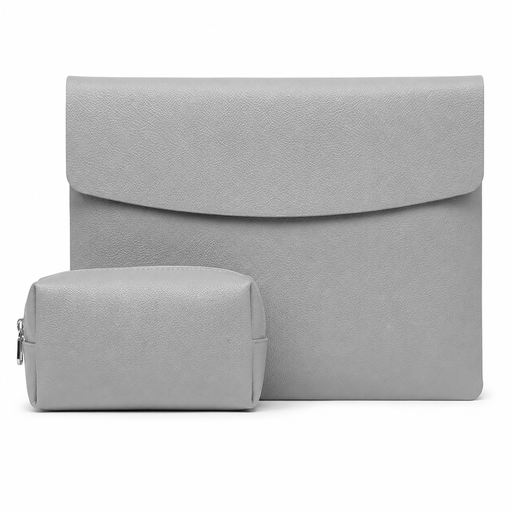
Why it suits this profile: This version is practical if you want to carry a mouse and charger as well as your laptop. The model weighs 360 grams according to the specifications and has the same listed dimensions of 35 × 25,3 × 0,5 cm.
The separate accessory pouch keeps cables and a mouse away from the laptop. The magnetic fastening is quick to use, but check that the bag doesn’t become too full.
PU leather, faux suede lining, accessory pouch and a weight of 360 grams. According to the product description, the model is designed for laptops including Apple, ASUS, Dell and Xiaomi.
We’ve put together a complete, up-to-date list of products that meet these strict selection criteria and the applicable European safety regulations.
No. The screen size doesn’t tell you the laptop’s full external dimensions. Measure your laptop and compare its width, depth and thickness with the sleeve’s listed internal dimensions.
A sleeve helps protect against scratches and light knocks when carrying your laptop in a rucksack or bag. For air travel or frequent transport, a padded model with accessory pockets and a sturdy fastening is more practical. Don’t place heavy items on top of the laptop.
Its lifespan depends on the material, fastening and how you use it. Keep the sleeve dry, clean off dirt according to the care instructions and don’t overfill the pockets. Regularly check the zip, magnetic flap, seams and lining. This will help you spot when its protective qualities start to wear down.
