
Vandaag of morgen in huis

Kwaliteit gegarandeerd

Welkomstaanbiedingen ontgrendelen: GRATIS bezorging | Tot 80% korting | Gratis 30 dagen JoyPlus-proefperiode
Download de app
A 13-inch laptop sleeve may seem like a simple purchase, but the wrong size or a weak fastening can quickly cause problems. A sleeve described as suitable for 13 inches may be too roomy for a MacBook in practice, or too tight for another laptop model. Terms such as “water-resistant” and “protective” are not always clearly explained either.
For students and professionals, these are the main pitfalls to watch out for:
Start by checking your laptop’s dimensions. Pay attention to its width, depth and thickness, not just the screen diagonal. A 13.3-inch laptop, for example, may have a different casing from a MacBook with a similar screen size.
A good protective laptop sleeve should fit fairly snugly without you having to force the device inside. Too much room lets the laptop move around; a sleeve that is too tight can put pressure on the corners and zip.
Many models are made from polyester. It is lightweight and suitable for everyday use. An extra foam layer, padded lining or EVA construction can provide more cushioning against knocks and pressure.
Be aware of the difference between:
A laptop sleeve with a zip fastening keeps your laptop more securely in place while you’re carrying it and helps keep dirt out. Check that the zip runs smoothly and that the inside has a soft finish.
Interpret claims about a water-resistant laptop sleeve in practical terms: according to the product specifications, the outer fabric may resist moisture, but the seams and zip remain vulnerable points. So don’t use the sleeve as a substitute for a waterproof bag in prolonged rain.
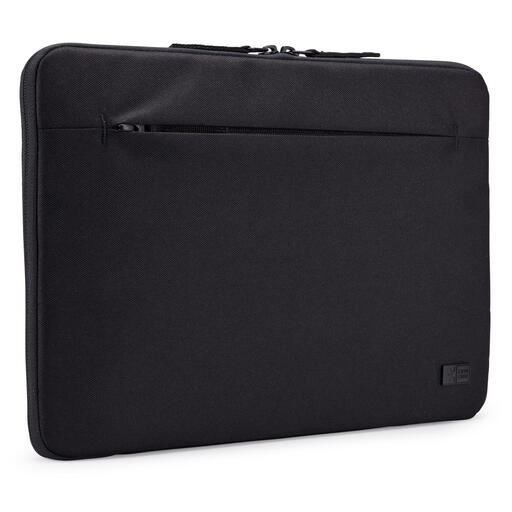
Why it suits this user: This compact 13-inch laptop sleeve is ideal for everyday trips to school, university or the office, and comes in a versatile black finish.
The stated dimensions are 345 × 245 × 45 mm and it weighs 150 grams. According to the product specifications, the sleeve is moisture-resistant; this does not mean it is fully waterproof.
Polyester outer material, universal compatibility, black finish and 100% recycled polyester, according to the product information.
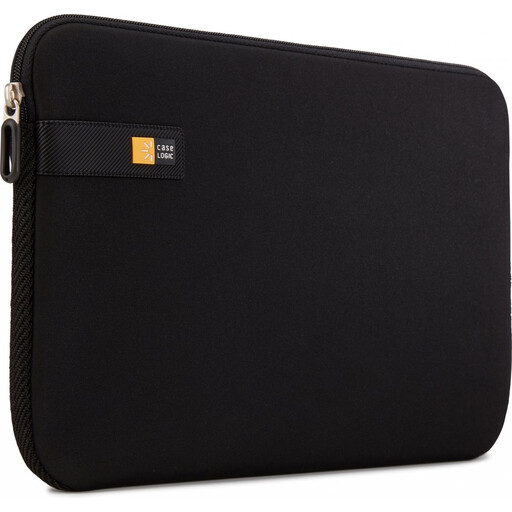
Why it suits this user: This slim laptop sleeve is a good choice if you want to carry your laptop on its own or add extra protection in a rucksack.
The internal dimensions are 310 × 15 × 216 mm. Check these against your laptop before ordering, especially if you’re looking for a 13-inch MacBook sleeve.
Polyester material, an inner foam layer, a soft finish around the zip and a weight of 140 grams.
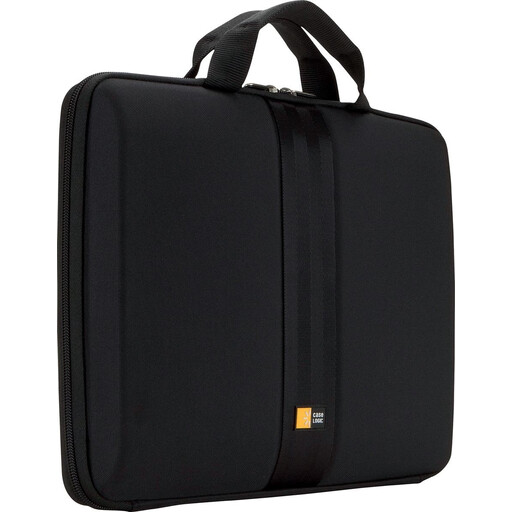
Why it suits this user: The hard-wearing construction and handle are practical for commuting, business travel and everyday use on the go.
The stated internal dimensions are 330 × 38 × 239 mm. The padded EVA construction means you’re not relying solely on a thin outer fabric for protection.
EVA foam lining, a handle, a zip fastening and a stated weight of 450 grams. The product specifications also describe it as water-resistant.
A black laptop sleeve is a popular choice because dirt is less noticeable and it goes easily with a work or school bag. However, colour says nothing about protection. Check the size, lining, fastening and material first. A neutral colour can be practical, but it is not a technical feature.
It’s also important to check the exact model and casing dimensions of your MacBook. Not every sleeve labelled “13 inch” will automatically fit every 13-inch laptop.
We’ve put together a complete, up-to-date list of products that meet these strict selection criteria and the applicable European safety regulations.
No. The screen diagonal is only one measurement. Compare your laptop’s width, depth and thickness with the sleeve’s internal dimensions. This is particularly important for different MacBook generations and compact Windows laptops.
Its lifespan depends on daily use, zip quality and how much it gets compressed in your bag. Avoid putting heavy items on top of the sleeve, check the seams and zip regularly, and clean polyester with a lightly damp cloth. Replace the sleeve when the lining, fastening or protective structure shows visible signs of wear.
According to the product specifications, a water-resistant laptop sleeve can help limit light exposure to moisture. That doesn’t mean it is waterproof. In heavy rain, a waterproof rucksack or extra protection is a better choice.
