
Vandaag of morgen in huis

Kwaliteit gegarandeerd

Welkomstaanbiedingen ontgrendelen: GRATIS bezorging | Tot 80% korting | Gratis 30 dagen JoyPlus-proefperiode
Download de app
A 128GB microSD card may seem simple to choose at first glance. However, cards vary considerably in speed, app performance, compatibility and included accessories. A low price can prove inconvenient if your smartphone does not support the card, your drone saves jerky video footage or an SD adapter is missing.
Pay particular attention to these three common pitfalls:
A 128 GB card provides space for photos, Full HD video, apps, downloads and games. The actual available space is slightly lower due to formatting and system use. Check your device’s manual to confirm that microSDXC and 128 GB are supported. Older devices may have limitations regarding capacity or file systems.
For a smartphone, 128 GB is often a practical upgrade. For a drone or action camera, the right choice depends on video quality, recording duration and how often you transfer files. If you regularly film in 4K for extended periods, you may reach the storage limit sooner.
The U3 marking refers to the UHS Speed Class. V30 is the Video Speed Class and indicates a specified minimum sustained write speed of 30 MB/s under the relevant conditions. This makes a U3 V30 microSD card a sensible choice for many 4K applications, such as an action camera or drone.
This does not mean that every camera will automatically record 4K without problems. Always check your device’s requirements. Some models use their own bitrate or support only specific card classes.
Read speed mainly determines how quickly files are loaded onto a computer or phone. Write speed is more important when recording video or saving large files. For example, the Kingston Canvas Go Plus 128GB lists a read speed of up to 200 MB/s and a write speed of up to 100 MB/s. According to the product information, these are maximum figures; the final speed also depends on the device being used and the files involved.
An A2 microSD card is designed to deliver better app performance on compatible devices. A2 can be useful for Android apps and mobile gaming, but the phone or tablet must support this feature too. For storing photos alone, A2 is less important.
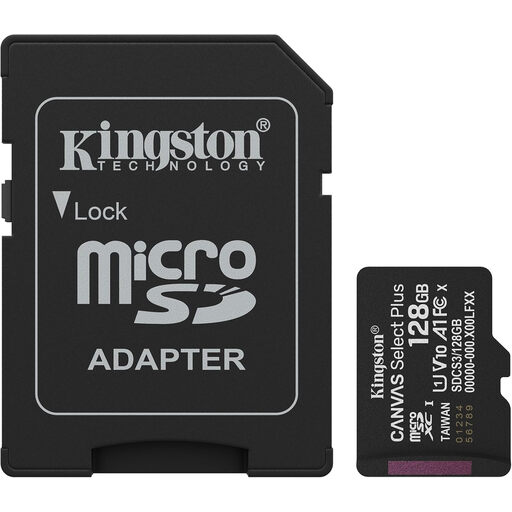
Why it suits this profile: The card offers 128 GB of storage, a stated read speed of up to 150 MB/s and an SD adapter. This makes it practical for everyday use in a smartphone, tablet or camera that supports microSDXC.
The A1 classification makes its intended use clearer than an unqualified speed claim. However, check whether your device supports an SD adapter and A1.
128 GB, read speeds of up to 150 MB/s, A1, Class 10 UHS-I and an included SD adapter according to the product description.
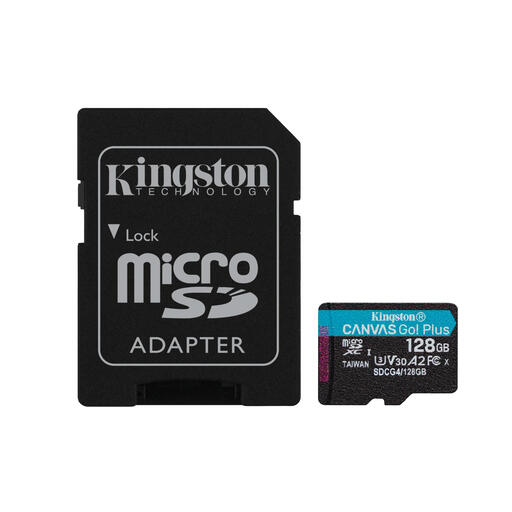
Why it suits this profile: This Kingston microSDXC card combines 128 GB with stated read speeds of up to 200 MB/s and write speeds of up to 100 MB/s. A2, U3 and V30 are well suited to users who combine apps, games and video.
The specifications list both read and write speeds, as well as video and app classes. The SD adapter saves you from making an additional purchase for devices with a full-size SD slot.
A2, U3, V30, read speeds of up to 200 MB/s, write speeds of up to 100 MB/s and an SD adapter according to the product details. The manufacturer also states that the card has been tested for water and temperature resistance.
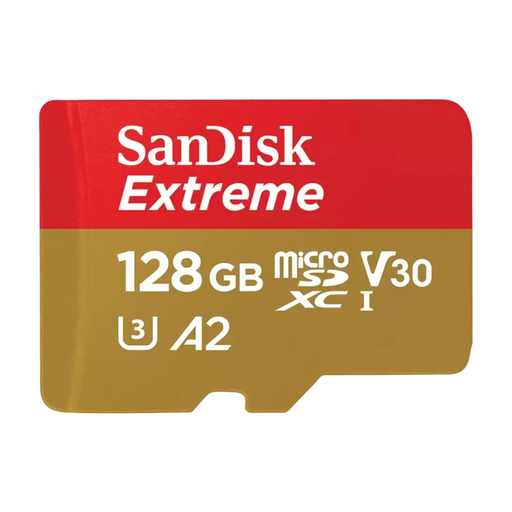
Why it suits this profile: The card is designed for use in smartphones, cameras, drones, action cameras and similar devices. Its stated V30 and A2 classifications are suitable for 4K video and app use on compatible equipment.
The card lists a write speed of up to 90 MB/s as well as V30. This allows you to assess the video class and stated speed together, rather than looking only at storage capacity.
128 GB, V30, A2, read speeds of up to 160 MB/s and an SD adapter according to the product specifications. The manufacturer states that the card is resistant to water, shock, temperature and X-rays.
We have put together a complete, up-to-date list of products that fully meet these strict selection criteria and the applicable European safety regulations.
For photos, music, apps and regular file use, 128 GB is often sufficient. If you store a lot of offline videos or large games, you may need more. First check whether your phone supports storage via microSD and whether apps can be moved to the card.
Look for at least U3 and V30, if these classes are recommended by your camera, drone or action camera. Also pay attention to the write speed. A high read speed is mainly useful when transferring files and does not, on its own, indicate how well the card will perform during recording.
Its lifespan depends on storage quality, frequency of use, temperature and the number of write cycles. Intensive filming or continuous recording puts more strain on a card than occasionally storing photos. For this reason, make backups, format the card according to your device’s instructions and replace it if you see error messages or experience unexplained file problems.
