
Vandaag of morgen in huis

Kwaliteit gegarandeerd

Welkomstaanbiedingen ontgrendelen: GRATIS bezorging | Tot 80% korting | Gratis 30 dagen JoyPlus-proefperiode
Download de app
A 128GB microSD card gives you extra space for photos, videos, apps and game files. However, not every 128GB card is suitable for every device. A budget card might work perfectly well in a tablet but struggle in a dashcam or 4K camera. And the high speeds mentioned in a product title may only apply under specific conditions.
These tips will help you choose the right 128GB microSDXC card and avoid a purchase you might regret.
A high read speed is useful when you’re copying files to your laptop. For recording video, though, write speed is what matters most. While recording, a camera continuously writes data to the card. If the card isn’t fast enough, recording may stop or error messages may appear.
So, look at the combination of:
Speeds described as “up to” are maximum figures from the product specifications. The actual speed may depend on the card reader, device, file type and conditions of use.
A smartphone, drone, camera, Nintendo Switch or dashcam may have specific requirements. Before buying, check:
For example, a microSD card for Nintendo Switch won’t automatically be suitable for every dashcam. If you’re considering a card designed for a specific model, such as the 70mai card for certain dashcams, check the exact camera model.
Water, shock and temperature resistance can be useful for an action camera or drone. However, they won’t prevent files being lost through accidental deletion, formatting errors or faults. So, back up important photos and videos regularly.
Durability claims come from product specifications or, where applicable, the brand’s own tests and information. They don’t guarantee that your data will be preserved in all circumstances.
A UHS-I microSD card uses a common bus interface standard suitable for smartphones, tablets, cameras and other devices. U3 indicates a specified minimum sustained write speed of 30 MB/s under the relevant classification. V30 is a video speed class with a similar minimum write speed for suitable video recording.
For Full HD recording, a basic Class 10 card is often sufficient, depending on your camera. For 4K, drones and action cameras, a card with U3 and V30 is a practical starting point. Always check your device’s manual.
An A1 microSD card is designed to provide a certain level of app performance on compatible devices. An A2 microSD card can support higher performance requirements, but your device must support these features too. So, an A2 card won’t automatically make every smartphone faster.
For extra storage for photos and videos, A1 or A2 matter less than capacity and write speed. They can be useful for apps, games and intensive file use.
A microSD card with adapter can also be used in a device with a standard SD slot, such as a laptop or camera. Check that the product packaging actually includes an adapter, as not every model comes with one.
A new card may be formatted as exFAT or use another file system. If possible, format the card in the device you’ll be using it in, after checking whether this is necessary. Back up your files first: formatting deletes anything stored on the card.
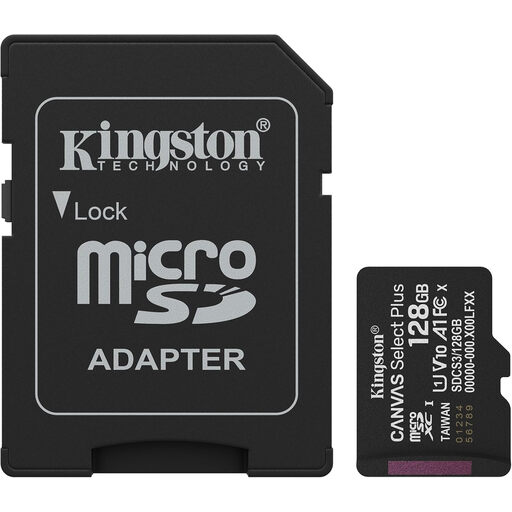
Why it suits this user: This card is designed for everyday use in smartphones, tablets and cameras. The included SD adapter lets you use it in a standard SD slot.
The product information lists read speeds of up to 150 MB/s, an A1 rating and Class 10 UHS-I. This makes the key specifications clearer than on a card described simply as “fast”.
128GB of storage, A1 for compatible Android apps and an included SD adapter.
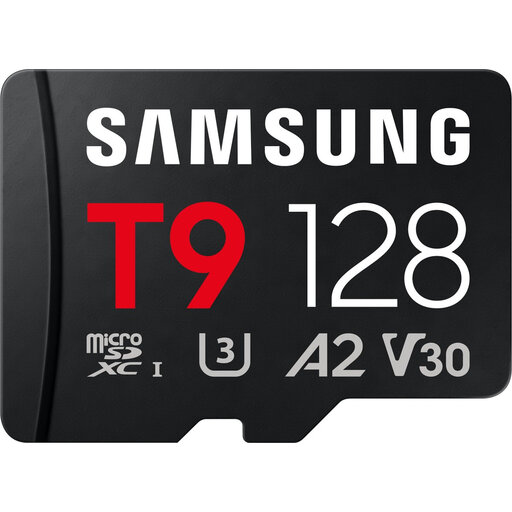
Why it suits this user: According to the product description, this card is designed for fast data transfer, 4K UHD recording and more intensive use in Android devices, action cameras, drones and handheld consoles.
The listed U3, V30 and A2 ratings offer more guidance than a general speed claim. The stated speeds are up to 200 MB/s read and 130 MB/s write.
UHS-I, U3, V30 and A2; the product information also lists a limited 3-year warranty.
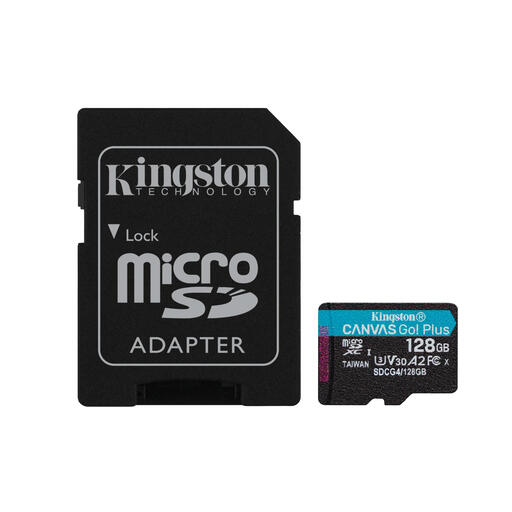
Why it suits this user: This card is suited to drones, action cameras, handheld consoles and other devices where higher video and app performance is desirable.
U3 and V30 make this card more suitable for compatible 4K recording than a basic U1 card. Check that your device supports these speeds.
Read speeds of up to 200 MB/s, A2, U3, V30 and an included adapter, according to the product information.
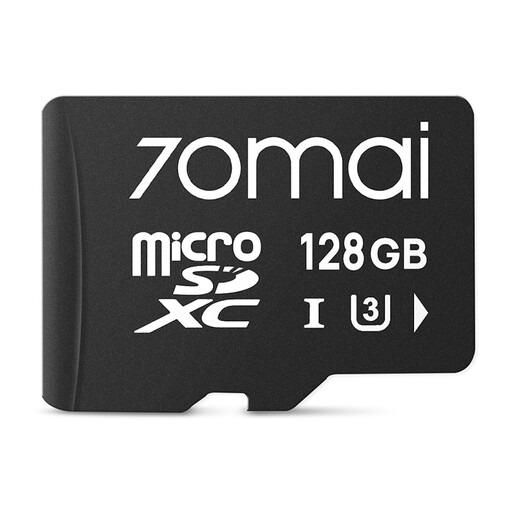
Why it suits this user: The product information lists specific compatibility with models including the 70mai A810, A510, A410, X800, M310, A200 and A800SE.
The model-specific listing reduces the risk of buying a card your dashcam won’t recognise. Check the exact model number before ordering.
128GB of storage and targeted compatibility with several 70mai dashcams.
We’ve put together a complete, up-to-date list of products that meet these strict selection criteria and the applicable European safety regulations.
It depends on how you use it. For photos, music and documents, 128GB usually gives you extra space alongside your internal storage. Lots of videos, offline navigation and large games will fill the card more quickly. Also check that your smartphone supports microSDXC cards and allows apps to be moved to external storage.
Check your camera’s requirements. A U3 V30 microSD card is often a suitable starting point for 4K recording, as these classifications indicate a minimum sustained write speed. A higher read speed is mainly useful for transferring files. Actual performance still depends on the camera, card reader and recording settings.
Lifespan varies depending on the type of flash memory, write load and conditions of use. A card in a dashcam is written to much more intensively than one used mainly for storing photos. Format the card according to the manufacturer’s instructions, remove it safely and keep important files backed up somewhere else too.
