
Vandaag of morgen in huis

Kwaliteit gegarandeerd

Welkomstaanbiedingen ontgrendelen: GRATIS bezorging | Tot 80% korting | Gratis 30 dagen JoyPlus-proefperiode
Download de app
When building or upgrading a PC, choosing the right case fan 120mm RGB is crucial for both performance and aesthetics. However, the market is flooded with marketing terms and specifications that often confuse more than they clarify. It's easy to waste money on a fan that's noisy, provides poor cooling, or has lighting that's incompatible with your system. This guide will help you make the right choice.
Before making a purchase, it's important to recognise the most common mistakes. Many buyers fall into these traps, leading to disappointment.
radiator fan 120mm only to see disappointing cooling results.silent case fan is every PC builder's dream. The noise level (expressed in decibels, dB) listed on the box is often measured at the lowest speed in a perfect environment. Without proper speed control, the fan will constantly run at full tilt, producing significantly more noise than the packaging suggests.PC fan 120mm with RGB, but the lights won't turn on, or you can't customise the colours. This often happens when the fan uses a proprietary, brand-specific system (like a Corsair iCUE fan) and you don't have the right controller or software. This leads to frustration and extra costs.To avoid these pitfalls, focus on the specifications that truly matter. Check these three points before buying a 12cm case fan.
This is the most important technical trade-off.
12cm case fan acting as an exhaust or mounted in a location with few obstructions.Rule of Thumb: Opt for high static pressure if airflow is restricted. Opt for high CFM for unrestricted airflow.
Truly silent operation is determined not just by the minimum dB value, but primarily by control.
To ensure your RGB lighting works the way you want, you need to check the connectors.
Here are a few choices tailored to different user types, based on objective specifications.
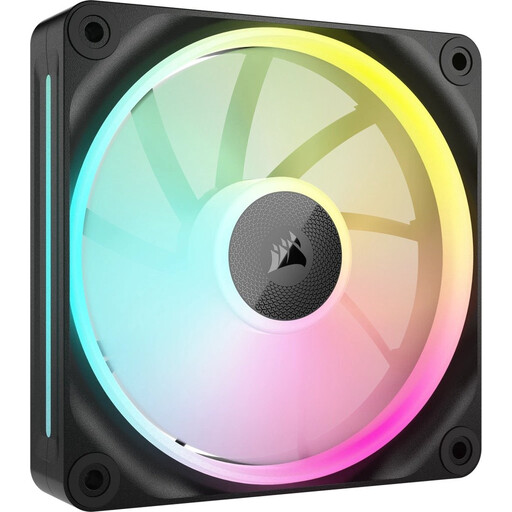
Why This Fits Their Persona: Perfect for those seeking a solid balance between cooling performance, aesthetics, and a reliable ecosystem. This fan is a true all-rounder for most modern PC builds.
This fan has impressive static pressure, allowing it to avoid the 'CFM trap.' It's effective for both case and radiator use.
High static pressure (5.22 mmH2O) and seamless integration with the Corsair iCUE ecosystem for easy installation and control.
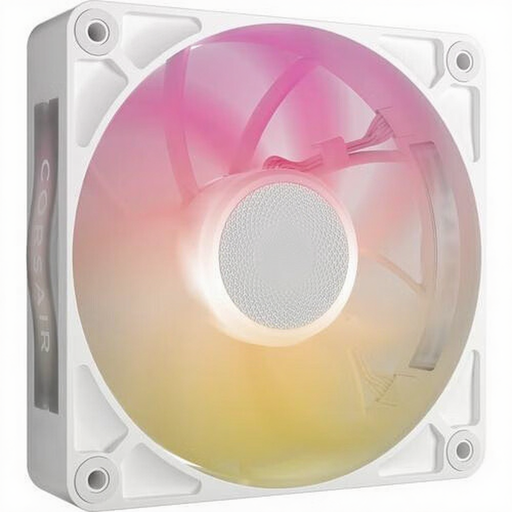
Why This Fits Their Persona: Ideal for users who prioritise a quiet work or gaming experience. The focus is on low noise levels without compromising on a modern, white aesthetic.
With a noise level starting at 10 dB (manufacturer's claim) and PWM control, this fan tackles the 'false silence' claim. You control the balance between quiet operation and cooling.
Very low noise level at low RPMs and a thicker 30mm design for improved performance, even when the fan is spinning slowly.
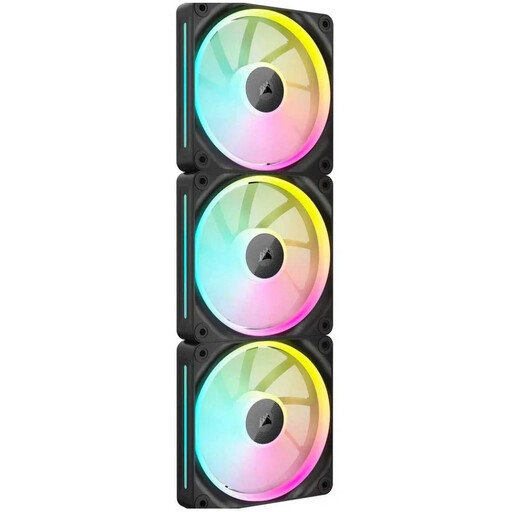
Why This Fits Their Persona: For the builder looking to equip an entire system with uniform, high-performance cooling. Ideal for high-end components, overclocking, and systems with multiple radiators.
This kit solves the 'ecosystem problem' by providing a complete, perfectly integrated solution. Its high static pressure is ideal for its intended use on radiators.
Multi-pack for a consistent look and performance. The excellent static pressure makes this kit a popular choice for water-cooling setups.
We have compiled a complete, up-to-date list of products that fully meet these strict selection criteria and EU safety regulations.
For a standard PC build, two to three fans are usually sufficient: one at the front for cool air intake and one at the back for warm air exhaust. For high-end gaming PCs with powerful components, you can add extra fans at the top or bottom for improved airflow.
A 3-pin fan receives power and reports its speed but typically runs at a fixed, maximum speed. A 4-pin fan has an extra pin for PWM (Pulse Width Modulation). This allows the motherboard to precisely control the fan's speed based on temperature, resulting in quieter and more efficient operation.
Technically, you can, but it's often difficult. If the fans use a standard 3-pin 5V ARGB connector, you might be able to control them together via your motherboard software. However, if they use proprietary connectors and software (like Corsair iCUE or Lian Li L-Connect), you won't be able to synchronise the lighting without complex workarounds. For a hassle-free experience, it's best to stick with one brand and ecosystem.
