
Vandaag of morgen in huis

Kwaliteit gegarandeerd

Welkomstaanbiedingen ontgrendelen: GRATIS bezorging | Tot 80% korting | Gratis 30 dagen JoyPlus-proefperiode
Download de app
A PC that overheats or sounds like a jet engine is a common problem for gamers and PC builders. The right cooling is crucial for stable performance and a premium user experience. A quality 120mm PC fan is often at the core of the solution. But with a dizzying array of specs like CFM, RPM, and PWM, making a choice can be overwhelming.
As a Joybuy Product Recommendation Officer, I'm here to help you see past the marketing jargon. This article provides actionable advice to find the fan that fits your system and needs, based on verifiable specifications.
Before you make a choice, it's helpful to understand a few key technical terms. This will help you translate specifications into real-world performance.
Not every fan is designed for the same task. The right choice depends on where you plan to install it.
A PWM fan (Pulse Width Modulation) has a 4-pin connector that allows your motherboard to precisely control the fan's speed. This means the fan runs slower and quieter when your PC is under a light load, only ramping up when necessary. This is a key feature for anyone looking for a quiet PC fan without sacrificing cooling power.
For many builders, aesthetics are just as important as performance. A 120mm RGB fan can give your system a unique look. Pay close attention to compatibility here. Brands like Corsair offer integrated systems, such as the Corsair iCUE fan series, which allow you to synchronise lighting and fan speeds through a single software package. This ensures a clean finish and less cable clutter.
Based on specifications and functionality, we've highlighted a few popular choices for you.
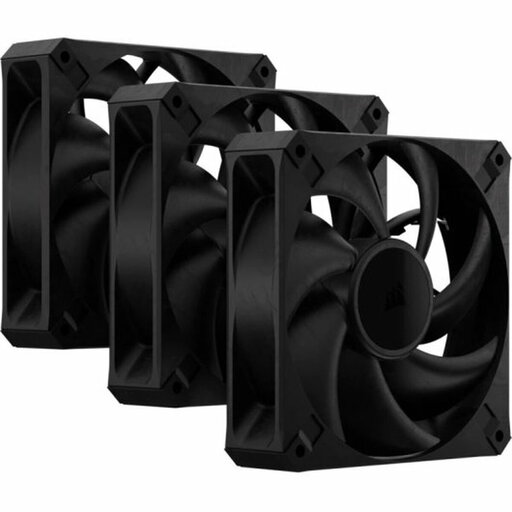
Why It Stands Out The Corsair RS120 MAX is focused purely on performance. With a thickness of 30mm (instead of the standard 25mm) and specially designed blades, this fan delivers an impressive combination of airflow and static pressure. The lack of RGB lighting makes this a no-nonsense choice for builders who prioritise maximum cooling.
Key Features
Who Is It For? For the PC builder who values performance over aesthetics. Ideal for systems under heavy load where every degree counts. Just be sure to check if your case can accommodate the extra 5mm of thickness.
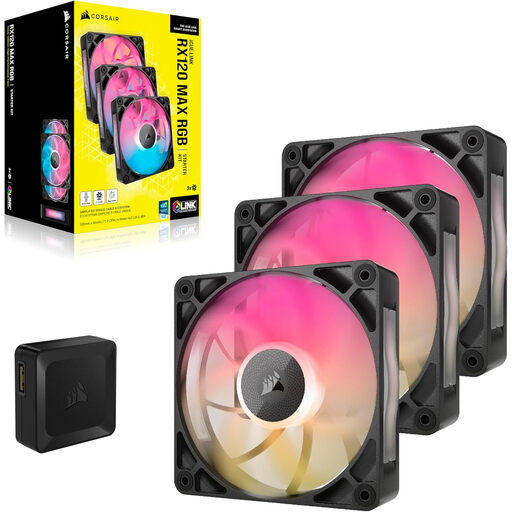
Why It Stands Out This fan combines the performance of a 30mm thick frame with the benefits of the iCUE LINK ecosystem. This system drastically simplifies installation by connecting fans together with a single cable, resulting in an exceptionally clean build. The 8 RGB LEDs per fan are fully customisable via the iCUE software.
Key Features
Who Is It For? For the modern PC builder who wants a sleek, tidy system with synchronised RGB lighting and powerful cooling. An excellent choice if you're already invested in the Corsair fan ecosystem.
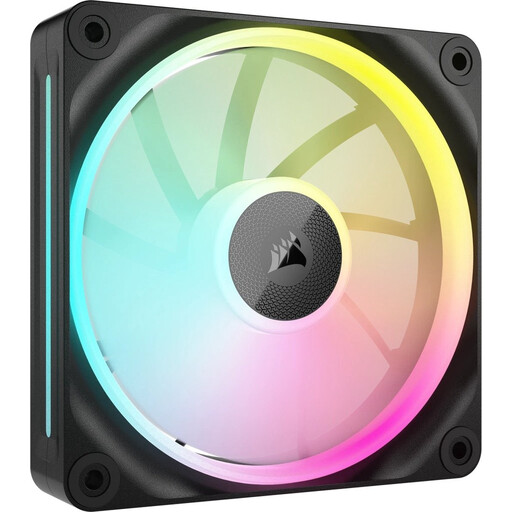
Why It Stands Out The LX120 stands out with its magnetic levitation bearing, which Corsair claims results in less friction, quieter operation, and a longer lifespan. The specs show an exceptionally high static pressure of 5.22 mmH2O, making this fan particularly well-suited for radiators and restrictive cases. This fan is also part of the iCUE LINK ecosystem.
Key Features
Who Is It For? For users who need the highest performance on a radiator or behind a dust filter. Being sold individually makes it a flexible option for targeting a specific hotspot in your system or expanding an existing setup.
If a Corsair fan isn't exactly what you're looking for, or if you want to compare more sizes and brands, we've got you covered. Proper cooling is essential for any computer. Explore our full range to find the perfect match for your build.
? Discover more options in our case fans category
A PWM fan is a fan with a 4-pin connector that can dynamically adjust its rotational speed based on the temperature of your components. This ensures efficient cooling when it's needed and quiet operation under light loads.
For a standard gaming PC, a setup with two or three fans is a good starting point: one or two at the front for cool air intake and one at the back for warm air exhaust. This creates positive or neutral air pressure, which helps keep components cool and reduces dust buildup.
Not necessarily. A high CFM value is great for moving large volumes of air in an unobstructed space. However, if the air needs to pass through a radiator, a dense dust filter, or a tight case, a fan with high static pressure (mmH2O) is more effective. The ideal fan, therefore, depends on the specific application.
